Grant Budget Checks on Purchase Orders in Zoho ERP
Part of our guide: Zoho ERP for Nonprofits: The Complete Guide for Indian NGOs
Here’s how grant overspend usually happens. A programme manager raises a PO for learning kits. Finance approves it because the grant still shows money left. Two more POs go out the same week. By the time the bills arrive, the grant is ₹1.25 lakh over and nobody noticed until the donor report.
The cause is simple: most accounting systems only count money once it’s billed. Open POs are invisible to the budget.
In short: Zoho ERP handles POs, bills and vendor payments well, split across grants line by line. It has no commitment accounting, so we built a budget check that runs on every PO.
What works as shipped
- POs and bills split across grants line by line, with GST and TDS
- Bills carry due dates and reporting tags
- Vendor payments can clear several bills at once, from the right bank account
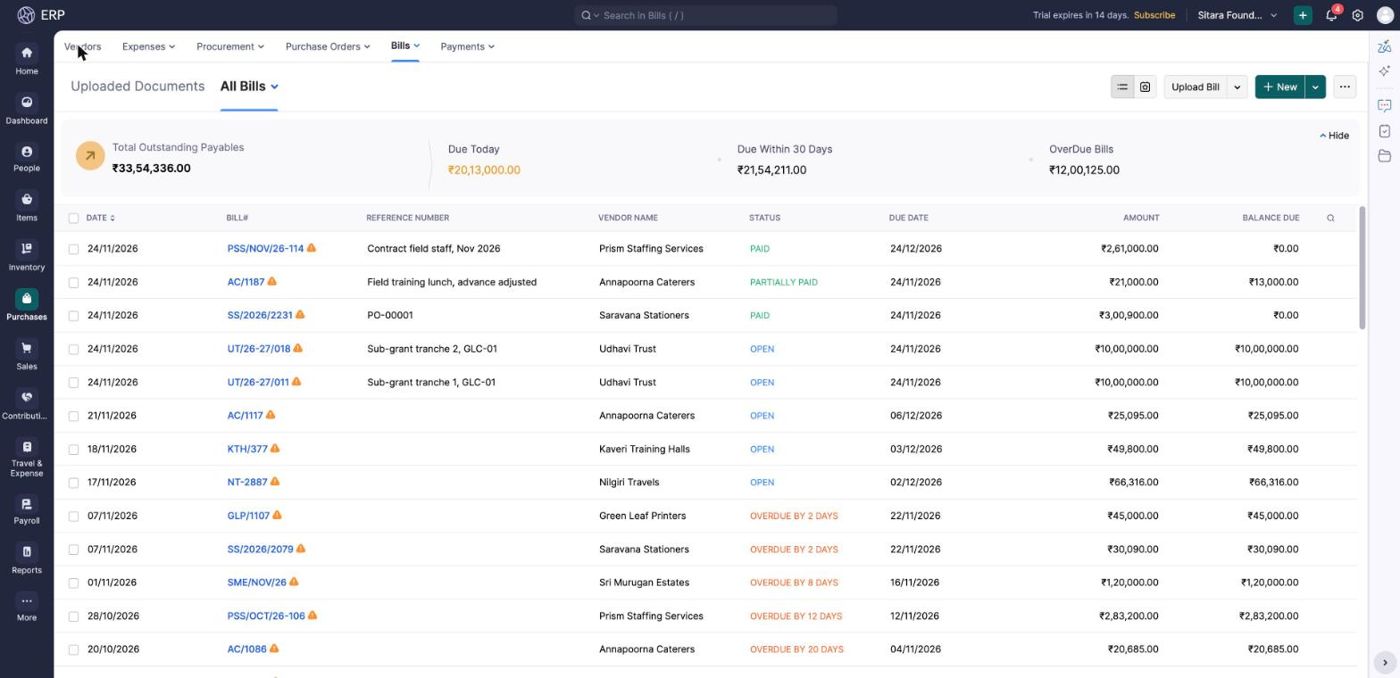 Bills with GST, due dates and grant tags.
The gap: no commitment accounting
Zoho ERP budgets compare actuals against the plan. A PO that’s been issued but not billed doesn’t count against the budget, and nothing blocks a PO that would take a grant over.
How we built the budget check
We used a Deluge function, a custom approval and three custom fields on the PO.
The custom fields
- Budget check: Within budget or Over budget
- Budget headroom: the grant’s remaining budget before this PO
- Grant headroom after this PO: what’s left if this PO goes through
The function
The function runs when a PO is saved. In plain terms, it:
- Reads the Grant tag on each PO line
- Looks up that grant’s budget for the year
- Adds up the issued POs and bills already charged to the grant
- Works out the headroom left after this PO
- Stamps Within budget or Over budget, with the headroom, onto the PO
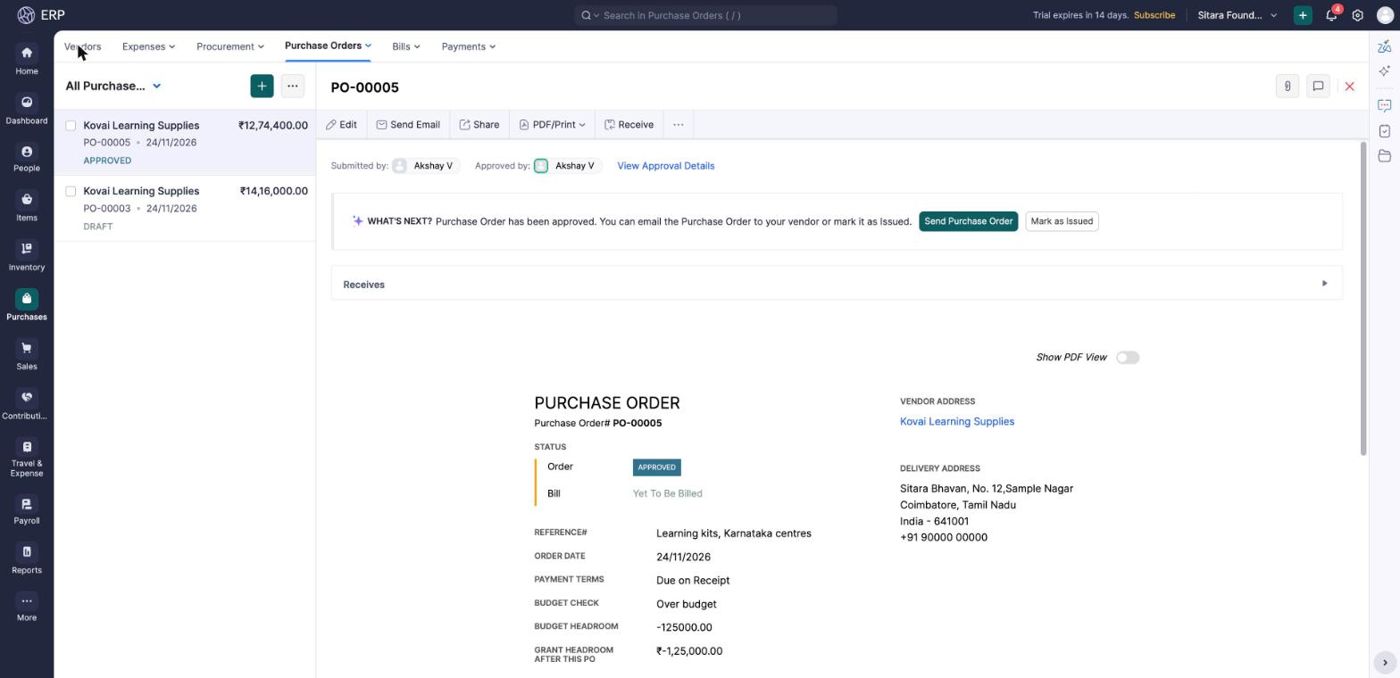 A PO stamped Over budget by the function, with ₹1.25 lakh of negative headroom.
One practical note: the Zoho Books connector didn’t work inside ERP Deluge in our trial. We used a Zoho ERP connection with invokeurl calls instead.
The approval
A custom approval reads the Budget check field:
- Within budget: approves automatically
- Over budget: goes to finance for a decision
- Neither value: can’t be submitted
That last rule turns the check into a hard block. A PO the function hasn’t stamped can’t get through.
The finance queue
A custom view filters POs that are over budget, so finance has one queue to work through.
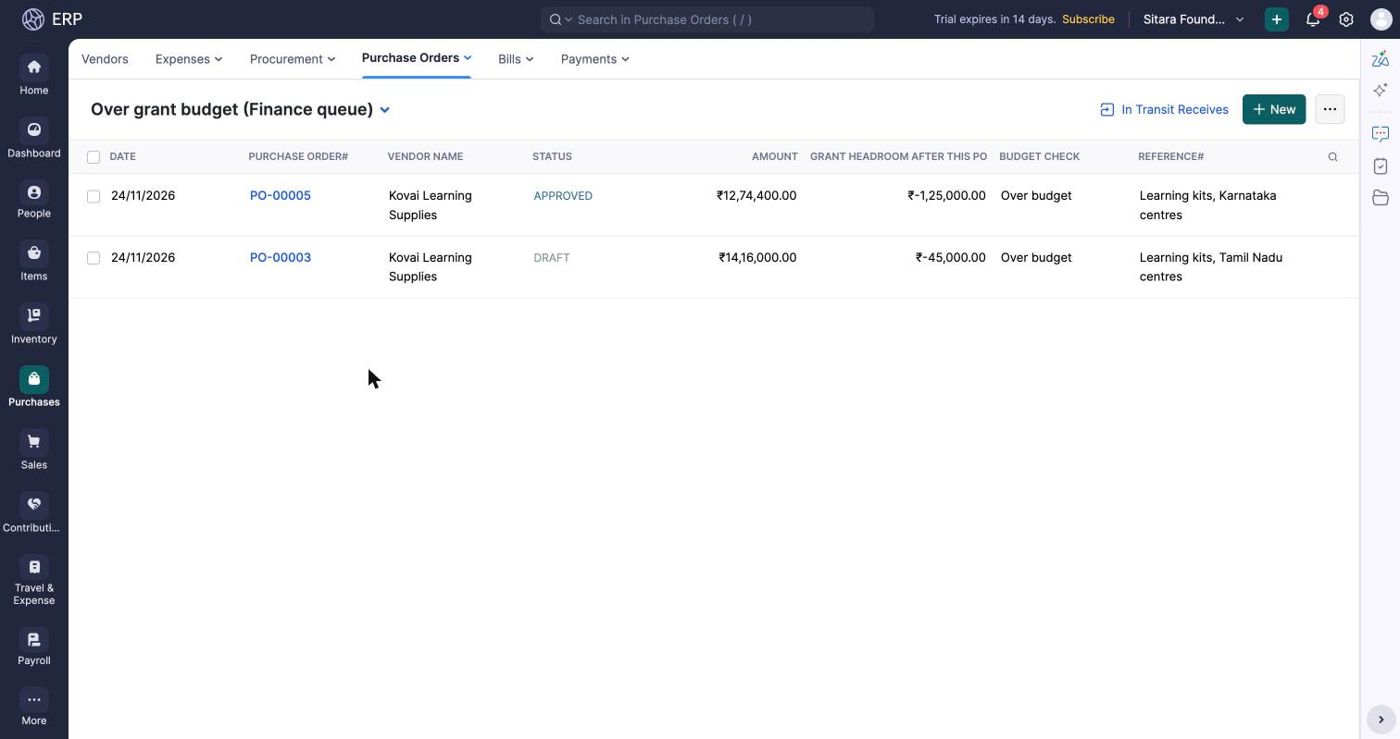 The “Over grant budget” finance queue: each PO with its headroom and reference.
Why a stamp-and-route pattern
Zoho ERP’s validation rules can only see fields on the record itself. They can’t look up a grant’s budget or sum other POs. So the function does the lookup and stamps the answer onto the PO, and the approval rule reads the stamp. We used the same pattern for other controls.
Testing tip
With only one user in the organisation, every approval completes itself. Add a second user before you demo or test maker-checker.
Limitations we hit
| Limitation | Workaround |
|---|---|
| Built around. No commitment accounting; overspend isn’t blocked | Deluge budget check plus custom approval |
| Built around. Validation rules only see fields on the record | Stamp-and-route functions |
| Needs a build. Budgets run on the financial year only | Grant-period view in Zoho Analytics |
| Settings. Vendor advances apply to bills by hand, not tied to the PO | Reference the PO; month-end check of open advances |
| Settings. The Zoho Books connector fails inside ERP Deluge | Zoho ERP connection with invokeurl |
| Settings. Trial limits: 1,000 API calls and 1,000 functions a day | Batch work; check paid-plan limits |
Next in the guide
Tested on a Zoho ERP trial (India data centre), November 2026, with fictional data.