
Payroll for NGOs in Zoho ERP: What Works and How to Cost Salaries to Grants
Part of our guide: Zoho ERP for Nonprofits: The Complete Guide for Indian NGOs
Salaries are usually the biggest line in a nonprofit budget, and the one funders ask about most. A field coordinator might be 60% on one grant and 40% on another. Payroll has to pay them correctly, and finance has to show each funder its share.
We ran a pay run for our test nonprofit’s head office team through Zoho ERP.
In short: Indian statutory payroll works. Costing salaries to grants doesn’t, yet. You’ll need an allocation table and a monthly reclass journal.
What works as shipped
Statutory payroll with Professional Tax, payslips and TDS sheets ran cleanly for the head office group. Employee records, salary structures and the pay run all sit inside the same product as your books.
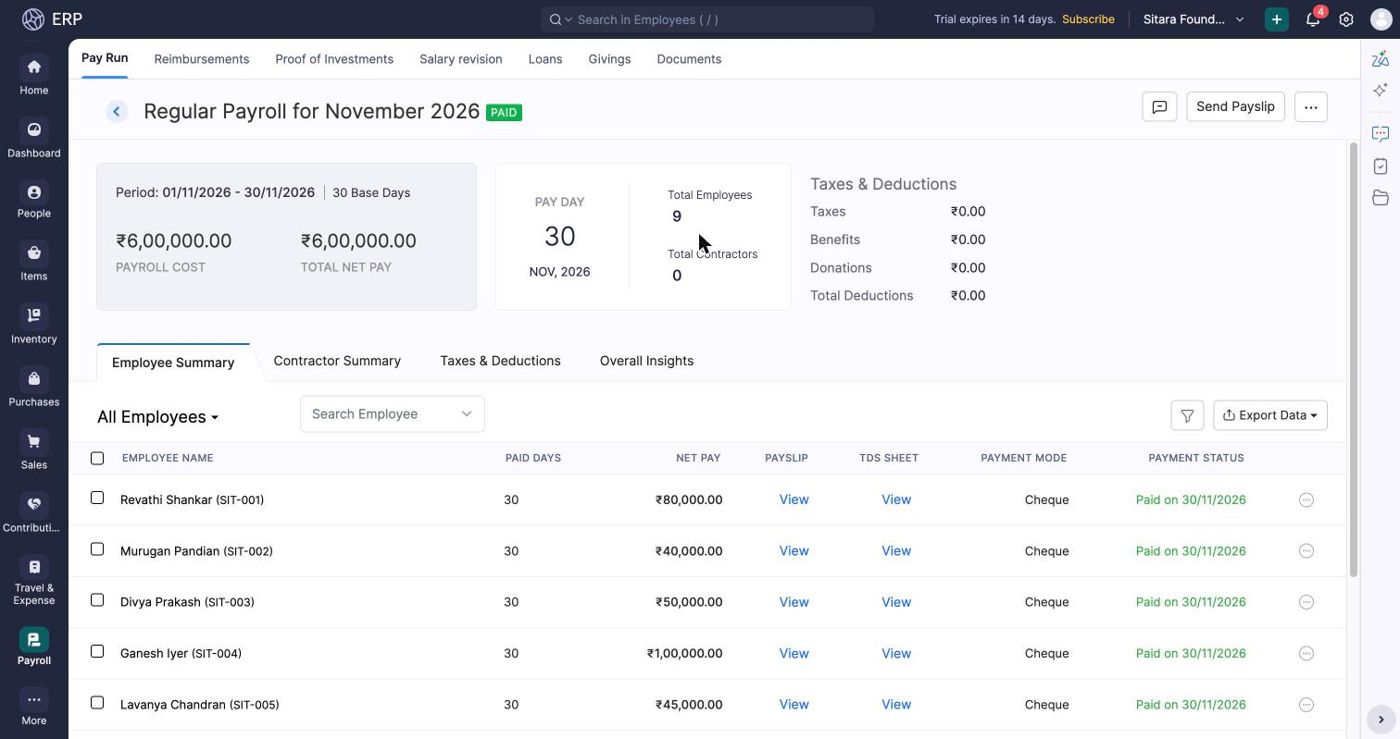 The November pay run, paid.
Before your first pay run
Every employee needs a work email
Zoho ERP requires a work email for every employee. Field staff often don’t have one. We used plus-addressing on a single shared mailbox (for example, a shared payroll address with +name added for each person), so every employee had a unique address without new mailboxes.
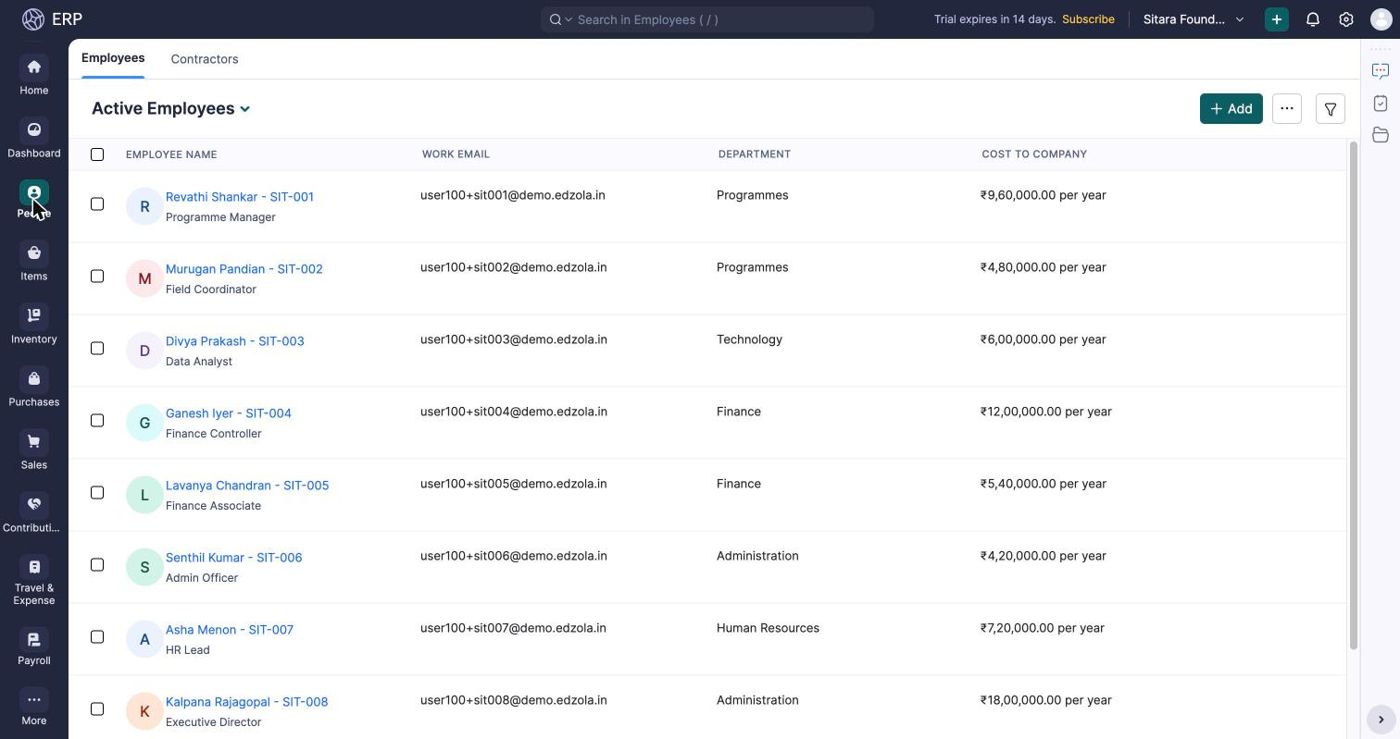 Employees with plus-addressed work emails on one shared mailbox.
Collect master data early
The first pay run needs date of birth, father’s name and payment mode for every employee. Collect them through the import template before go-live, not on payroll day.
The gap: grant costing of salaries
Two things stop salaries flowing to grants automatically:
- Employees can’t carry reporting tags. You can’t say “this person is 60% GFC01”.
- The payroll journal is one untagged line and can’t be edited.
So in the grant utilisation report, all salary cost lands in Untagged.
Our workaround: allocation table plus reclass journal
- Keep an allocation table. One row per employee, with their split across grants. Review it when people change roles or grants change.
- Post payroll to a clearing line. We tagged it Payroll clearing so it’s visible in the grant report.
- Post a reclass journal each month. Move salary cost out of Payroll clearing and into each grant, using the allocation table.
At month end, the Payroll clearing column in the grant report should net to zero.
Paying FCRA-funded staff
Zoho ERP allows one paying bank per organisation for payroll. If some salaries are funded by foreign contributions, they can’t be paid from the FCRA utilisation account in the same pay run as locally funded salaries. Pay FC-funded staff separately, and agree the approach with your CA. More in the FCRA subguide.
Our test setup
For this test, the 38 head office staff ran through Zoho ERP payroll. Salaries for the other field staff were posted as monthly journals, as if from a legacy payroll. That’s a realistic pattern during a phased migration.
Expense claims and volunteers
Travel and expense claims belong to licensed users, not employees. Volunteers who incur costs can’t file claims, so we paid them as vendors through bills. Policy limits on claims warn but don’t block. Count-based rules (for example, one claim per trip) need a custom function.
Limitations we hit
| Limitation | Workaround |
|---|---|
| Built around. Work email is mandatory for every employee | Plus-addressed emails on one shared mailbox |
| Built around. Employees can’t carry reporting tags | Allocation table holds each person’s grant split |
| Built around. Payroll journal is one untagged line and can’t be edited | Monthly reclass journal by grant |
| Gap. One paying bank per organisation for payroll | Pay FC-funded staff separately |
| Settings. First pay run needs DOB, father’s name and payment mode | Import template before go-live |
| Gap. Claims belong to licensed users, not employees | Volunteers paid as vendors through bills |
Next in the guide
Tested on a Zoho ERP trial (India data centre), November 2026, with fictional data.