
Nonprofit Dashboards, Reports and Branded Templates in Zoho ERP
Part of our guide: Zoho ERP for Nonprofits: The Complete Guide for Indian NGOs
A board meeting is a week away. The ED wants total donations, top donors, spend by programme and how much is left on each grant. In a spreadsheet world, that’s two days of copying numbers. In Zoho ERP, most of it is already on a screen.
In short: the built-in Non Profits dashboard covers fundraising with no setup. For finance you’ll build your own dashboard from saved reports. Most documents can carry your brand.
The built-in Non Profits dashboard
Out of the box, Zoho ERP gives you a nonprofit dashboard with:
- Total donations and number of donors
- Fund flow by donation type
- Payment modes
- Top donors and recent donations
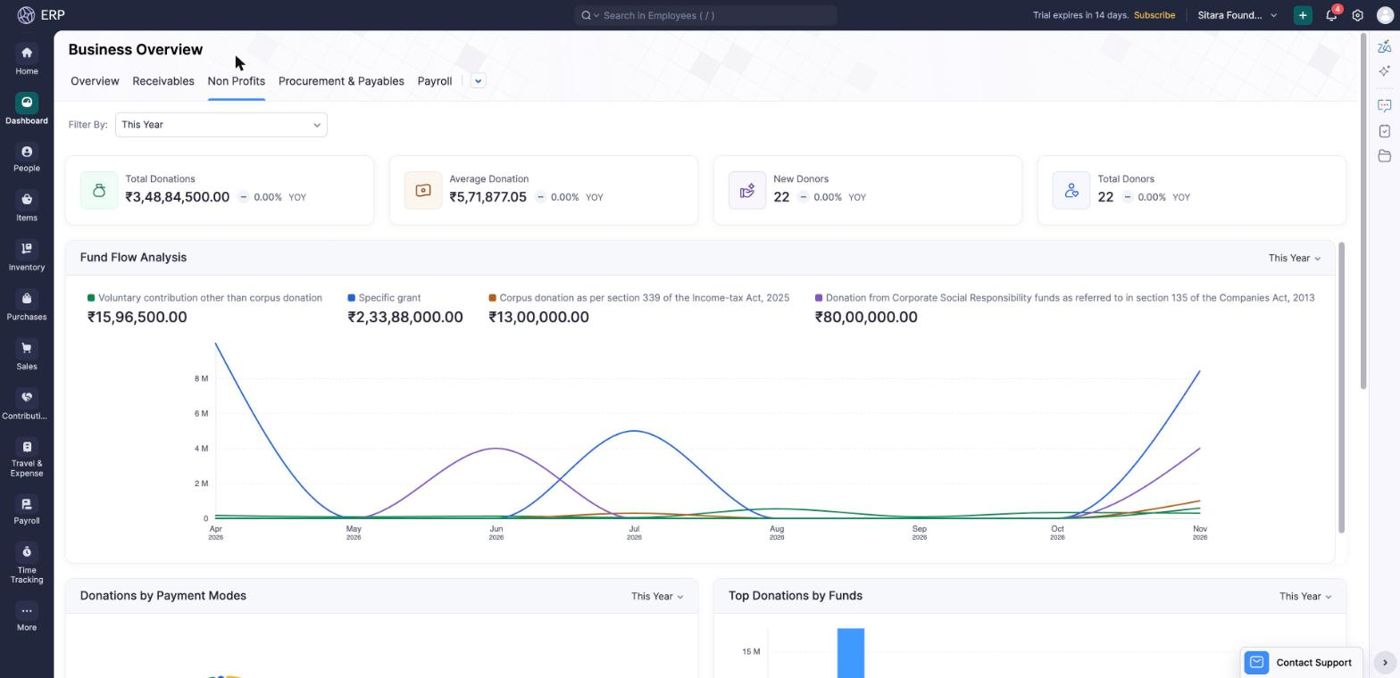 The built-in Non Profits dashboard: totals and fund flow by donation type.
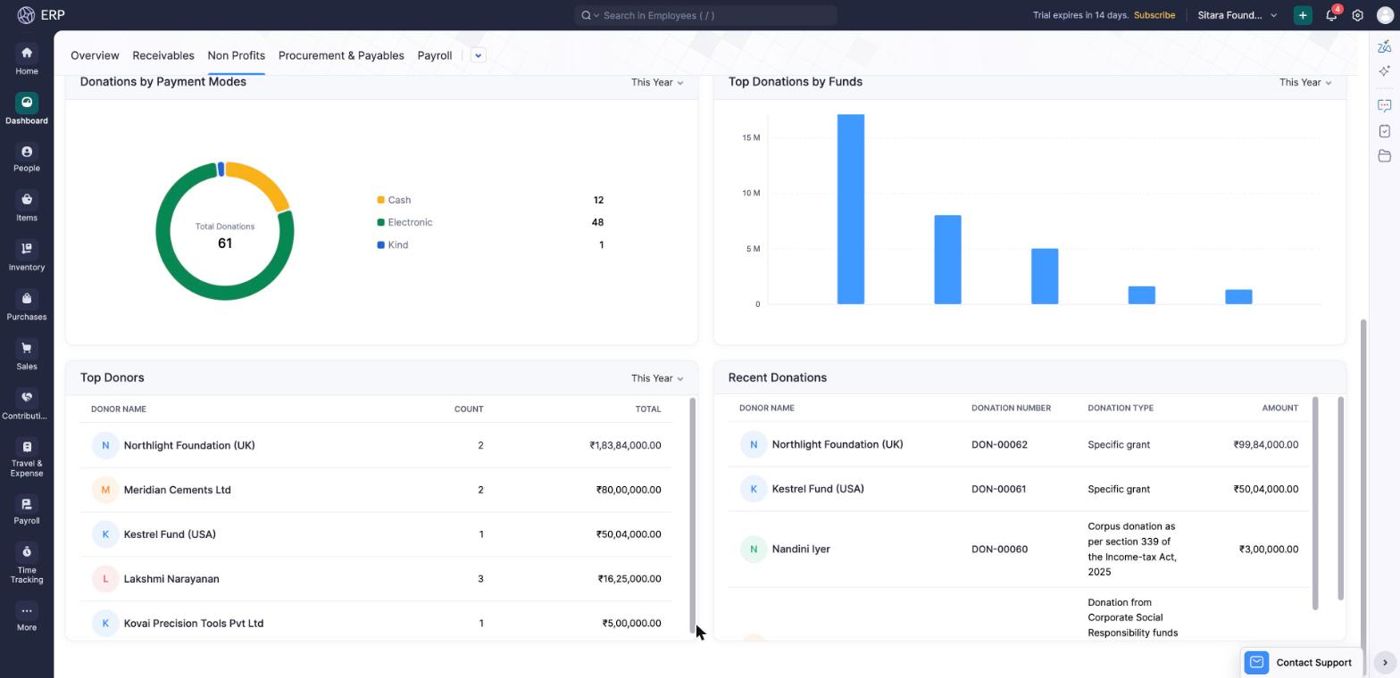 Top donors, payment modes and recent donations.
Two things to know before you put it in a board pack. The legends use the full Income Tax Act wording for donation types, and the fund flow chart has no axis labels. Fine for finance, awkward for trustees. The widgets are fixed, so you can’t change them.
Build a finance dashboard alongside it
We built a custom “Finance” dashboard from four panels:
- The saved grant utilisation report
- Payables (unpaid bills)
- Expense summary by category
- Cash flow across the year
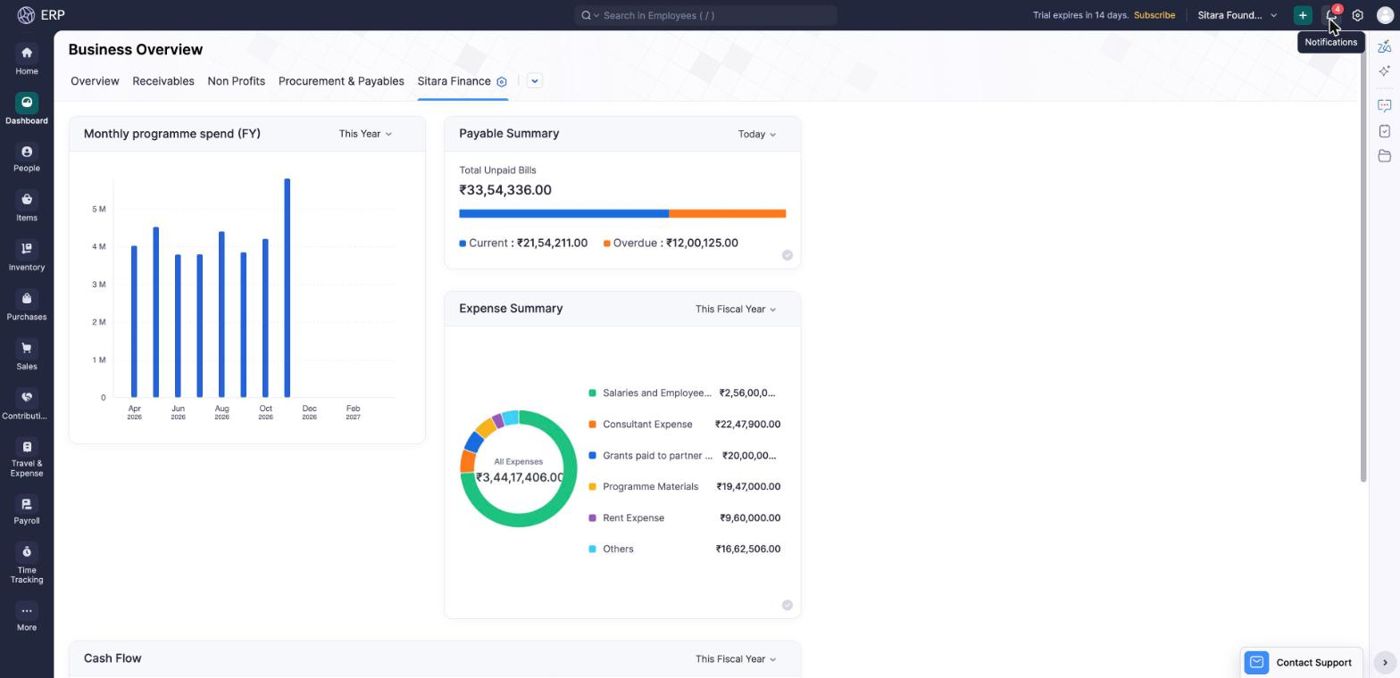 Our custom finance dashboard: monthly programme spend, payables and expense mix.
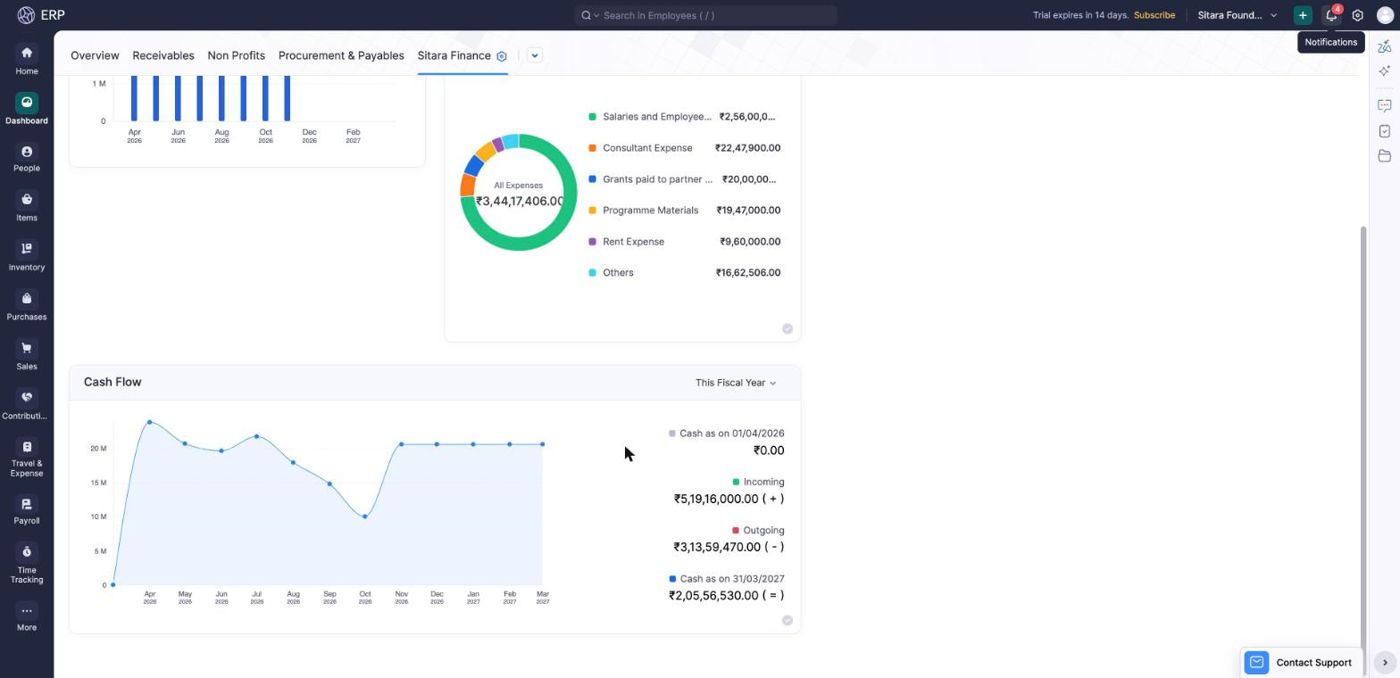 Cash flow across the year.
One limitation: report panels on a dashboard only chart by date. You can’t chart spend by grant on the dashboard itself, so the grant split lives in the report, one click away.
Reports nonprofits will use most
| Report | What it’s for | Watch out for |
|---|---|---|
| Grant utilisation (P&L by Grant tag) | Income and spend per grant | Payroll and interest land in Untagged until you journal them |
| Donations by Fund | What each fund raised | Can’t save customisations; favourite it |
| Receipts and Payments | The statement many Indian trusts file | Counts in-kind gifts as cash; no FC-only version |
| Budget vs actuals | Spend against the annual plan | Financial year only; open POs not counted |
For grant periods that cross financial years, FC-only statements and donor-facing reports, plan for Zoho Analytics on top of Zoho ERP.
Brand your documents
The template editor covers purchase orders, bills and universal receipts. You can change:
- Accent colour, logo and PDF fonts
- Table colours and labels
- Custom fields, such as Section code and donation type
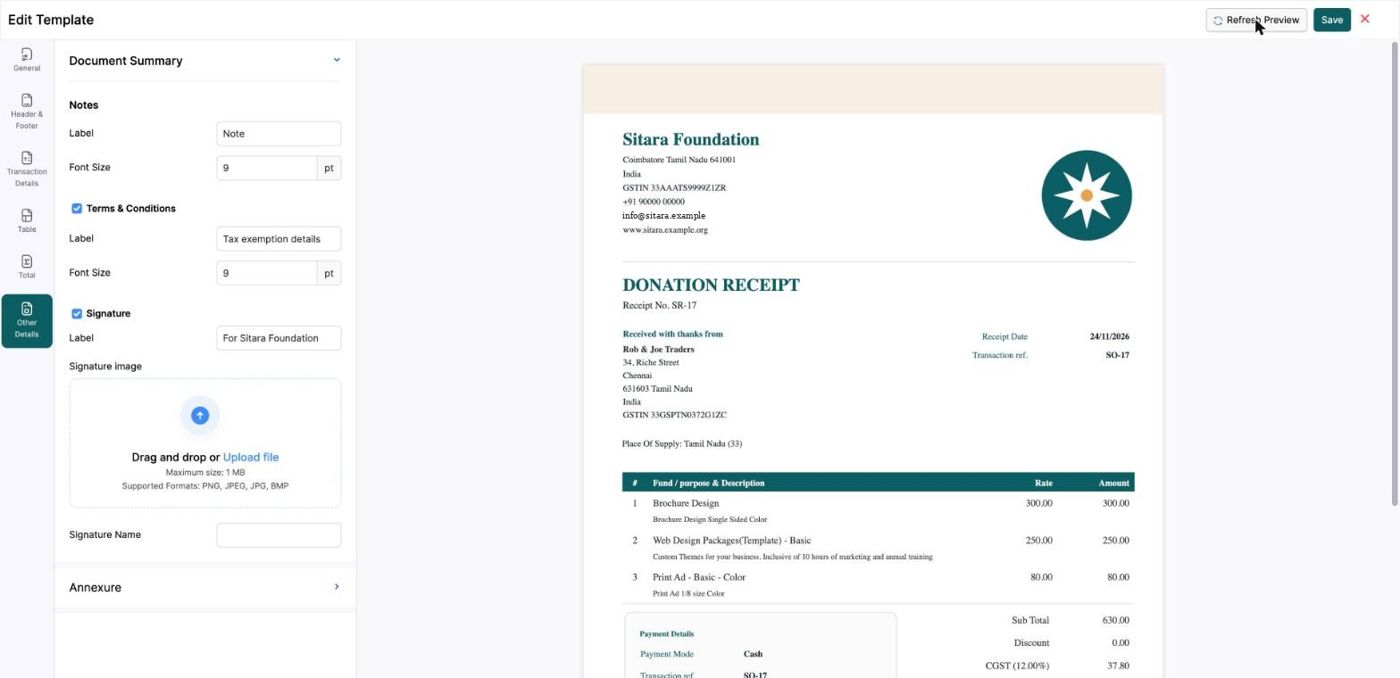 The template editor: colours, labels and fields, with a live preview.
The statutory 80G receipt is the exception: its layout is locked. See the 80G receipts subguide for how we handled branding there.
Two setup tips
- Fix the email on your documents. The email printed on POs and receipts is the primary contact’s login email. Make a shared mailbox the primary contact before go-live.
- Rename views for the job. Commercial labels like Customer and Invoice Amount still appear in some nonprofit list views. Name your custom views for what your team does (“Donors this quarter”, “POs awaiting finance”) so the labels matter less.
Limitations we hit
| Limitation | Workaround |
|---|---|
| Settings. Dashboard panels chart by date only; nonprofit widgets are fixed | Custom dashboard plus the grant report |
| Needs a build. Receipts and Payments counts in-kind gifts as cash; no FC-only version | Grant report, or Zoho Analytics |
| Settings. Donations by Fund can’t save customisations | Favourite it, or rebuild in Analytics |
| Settings. Customer, Invoice and Sales labels stay in nonprofit screens | Custom views named for the job |
If you’re weighing dashboards against spreadsheets for your board, our post on dashboards vs spreadsheets shows the difference with a small donor dataset.
Back to the guide
Tested on a Zoho ERP trial (India data centre), November 2026, with fictional data.