
Grant Accounting in Zoho ERP with Reporting Tags
Part of our guide: Zoho ERP for Nonprofits: The Complete Guide for Indian NGOs
Every funder wants the same thing: show me what came in for my grant and what you spent it on, line by line. In most nonprofits we work with, that statement is rebuilt in Excel before every report, from a ledger that wasn’t designed to answer the question.
In Zoho ERP, one saved report answers it. The trick is reporting tags, and the discipline to use them on every line.
In short: a P&L compared by the Grant tag gives you a grant utilisation statement. It only works if every transaction is tagged, and payroll needs a monthly fix.
What reporting tags are
Reporting tags are labels you attach to each line of a transaction: a bill line, a PO line, a journal line, a donation. Reports can then group or compare by any tag. Unlike splitting your chart of accounts by grant, tags keep the chart clean and let one expense line belong to a grant, a programme and a location at the same time.
We used five tags on every line:
- Grant: GFC01 (UK foundation, FCRA), GFC02 (US fund, FCRA), GLC01 (CSR), Unrestricted
- Programme: Girls’ education, Women’s livelihoods
- Geography: Tamil Nadu, Karnataka
- Department: Programmes, Finance, HR
- Entity: Trust, partner sub-grantee
A simple naming code helps: GFC for foreign grants, GLC for local ones. Finance can tell the type of money from the code alone.
Step 1: Create the tags and make them mandatory
Create the five tags under settings, then make each one mandatory on bills, purchase orders, journals, donations and expenses. This is the most important setting in the whole setup. Untagged lines can’t be fixed by a report later; they need journals.
Step 2: Tag as you transact
Every bill line gets a grant. A bill that covers two grants gets two lines. It’s a little more work at entry and a lot less work at reporting time.
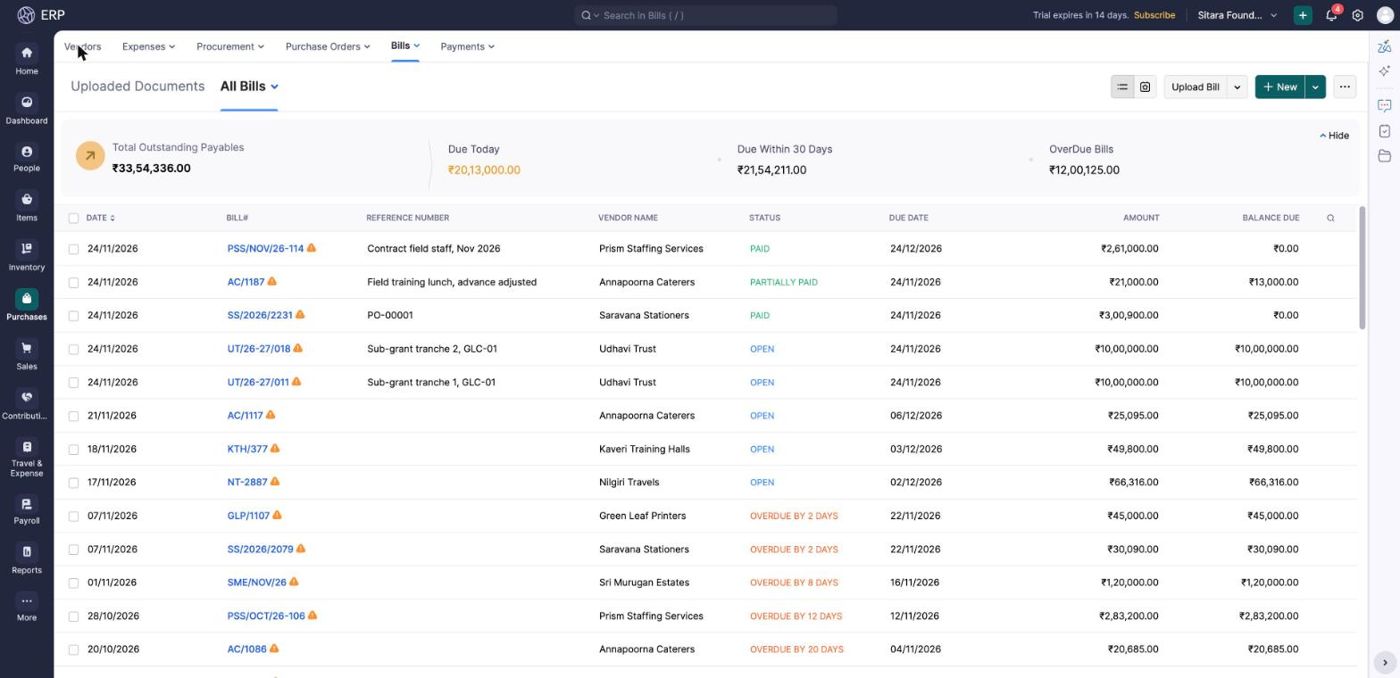 Bills with GST, due dates and grant tags.
Step 3: Build the grant utilisation report
Open the Profit and Loss report, set it to compare by the Grant reporting tag, and save it under a clear name such as “Grant utilisation by Grant (FY)”. You get one column per grant, plus Unrestricted and Untagged.
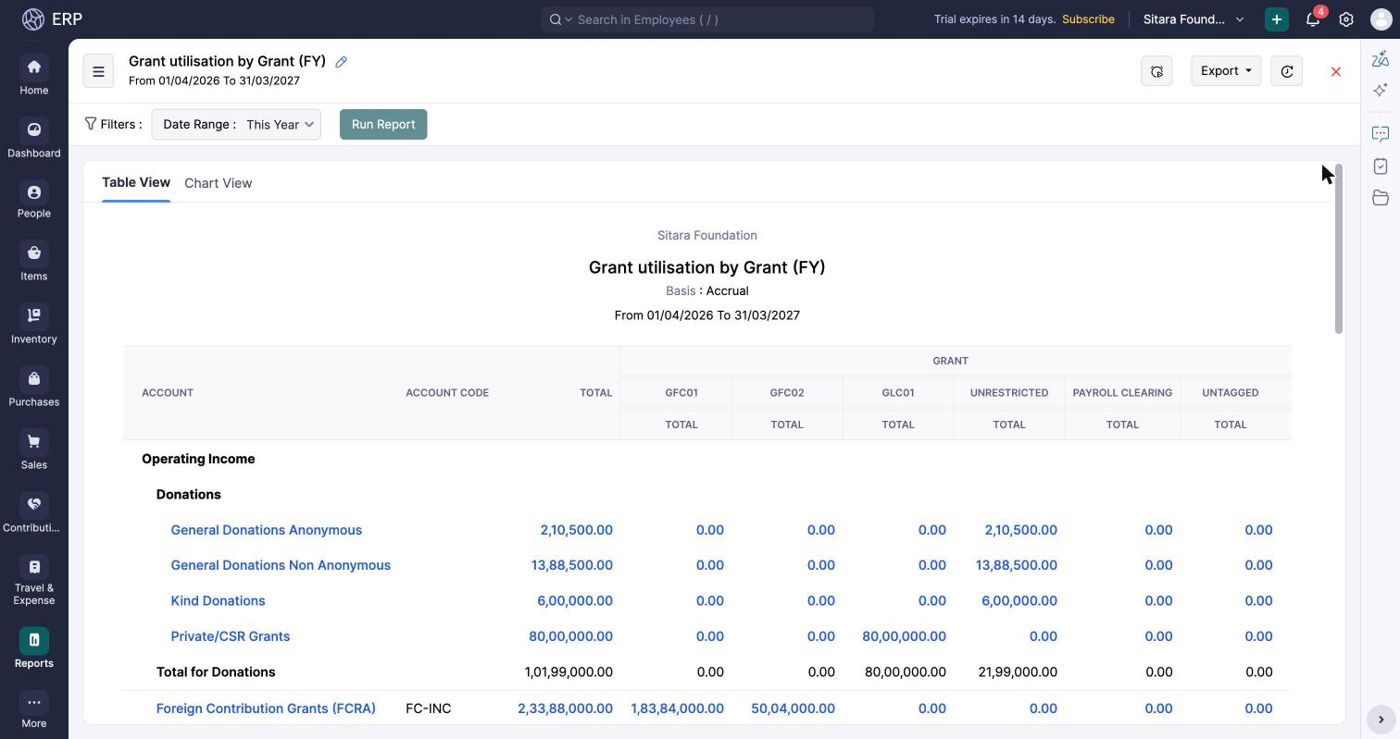 Income by grant. FCRA grants, the CSR grant and unrestricted donations each get their own column.
Scroll down and the same report shows spend by grant, account by account.
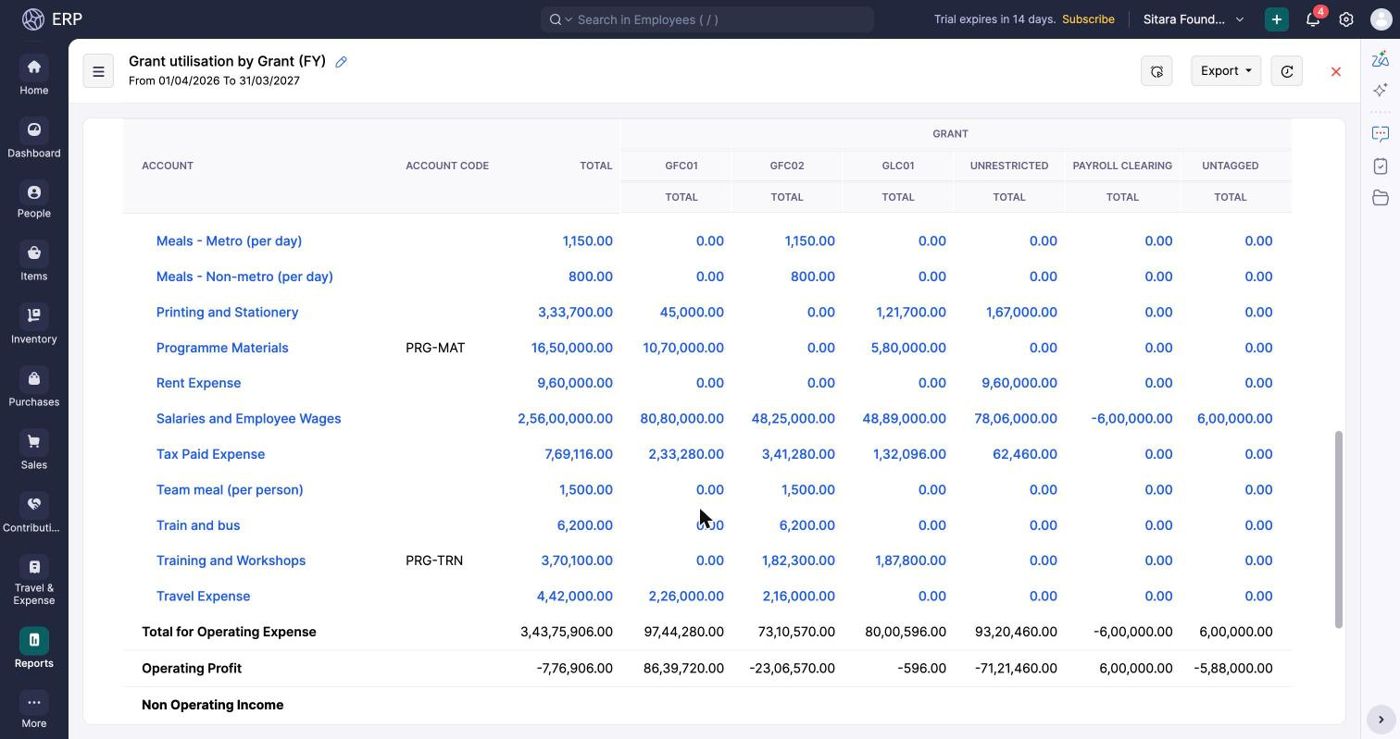 Spend by grant. This is the page your programme team and your funder both want.
Save it as a favourite and add it to your finance dashboard. It became the report we opened most.
Step 4: Watch the Untagged column
The Untagged column is your data quality check. In our test, two things kept landing there:
- Payroll. The pay run posts one untagged journal line. We routed it through a Payroll clearing tag and moved the cost to grants with a monthly reclass journal. The full method is in the payroll subguide.
- Bank interest. Interest on the FCRA account arrives untagged. Tag it to the right grant with a monthly journal.
If Untagged isn’t zero at month end, someone has a journal to post.
CSR grants
A CSR grant works the same way. Ours (GLC01) had a sub-grant to a partner nonprofit, so we used the Entity tag to separate what we spent directly from what we passed on. The CSR utilisation view is the same report filtered to GLC01.
Donations by fund
For fundraising, the Donations by Fund report shows what each fund raised over the year. It can’t save customisations, so favourite it or rebuild it in Zoho Analytics.
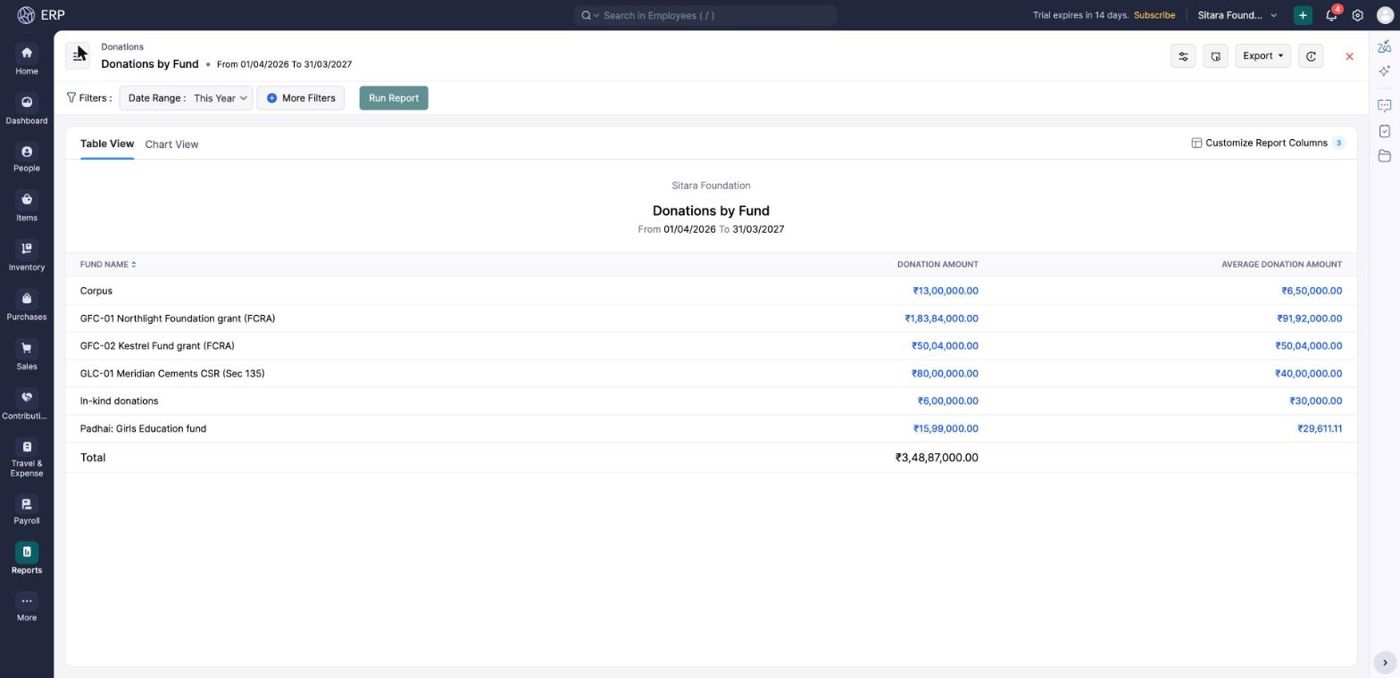 Donations by fund for the year.
What reporting tags can’t do
| Limitation | Workaround |
|---|---|
| Needs a build. Budgets run on the financial year only | Grant-period view in Zoho Analytics |
| Built around. Budgets don’t reserve open POs | Deluge budget check on POs |
| Built around. Employees can’t carry tags; payroll posts untagged | Allocation table plus reclass journal |
| Needs a build. Fixed assets carry no grant tag | Grant in the asset name plus a custom field |
| Gap. Tag-based access covers one tag, not line level | View-only budget, or Analytics |
The access limitation matters if programme managers should see only their own grant. Zoho ERP can’t restrict them line by line, so share a view-only report or build the view in Zoho Analytics.
For more on structuring grants across your systems, see our post on technology-enabled grant management.
Next in the guide
Tested on a Zoho ERP trial (India data centre), November 2026, with fictional data.