
Requests live in a WhatsApp group or one person’s inbox.
A volunteer’s question, a field coordinator’s stock-out and a donor’s receipt request all arrive in different places, and some never get an answer.
Volunteers, field teams, donors and the people you serve already write in. We set up the desk that answers them on time, on Zoho Desk: tickets with a priority and an owner, response times that run on your working calendar, and a grievance process you can show a funder or regulator. We start with one queue.
Most nonprofits we work with answer dozens of requests a week. The trouble isn’t effort. It’s that nobody can see what came in, who has it and what is late.
A volunteer’s question, a field coordinator’s stock-out and a donor’s receipt request all arrive in different places, and some never get an answer.
Without a priority and a due time, the loudest request wins. A wage complaint can sit for a week while a quick question gets three replies.
When that person goes on leave, the desk stops. Nobody else knows the fixes, the templates or the people to call.
Each screen pairs one audience with one Zoho Desk feature. Together they show how the same pieces (departments, SLAs, rules and a knowledge base) fit very different kinds of work.
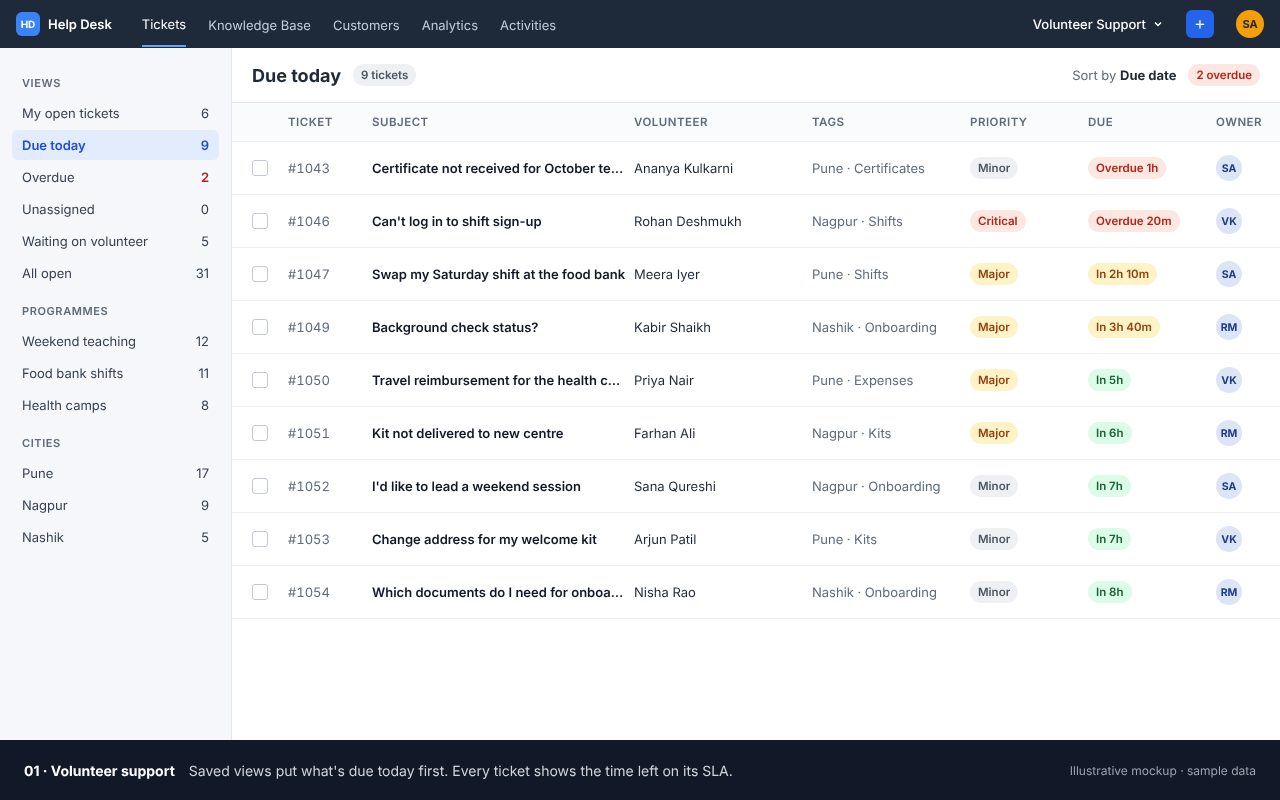
Views and SLA timers. What’s due today comes first, with the time left on every ticket.
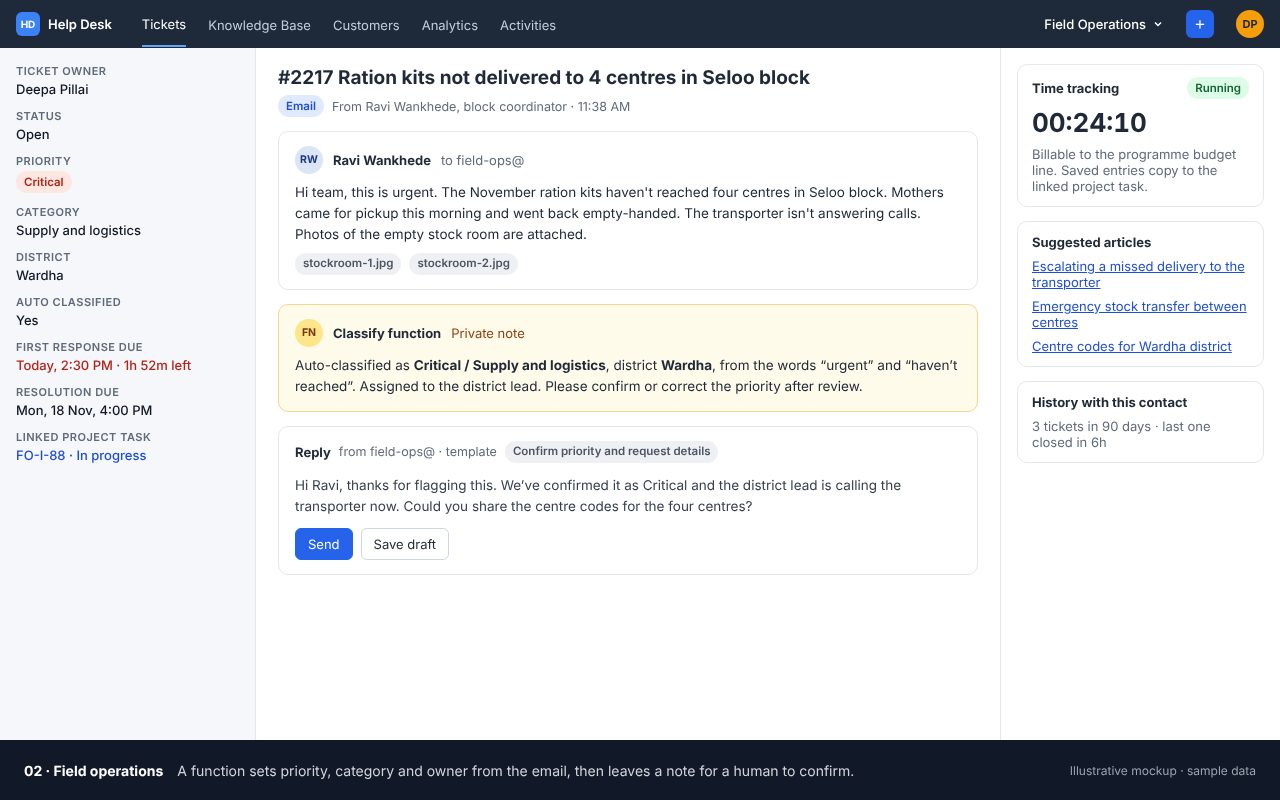
Auto-classification. A rule sets priority, district and owner, then asks a person to confirm.
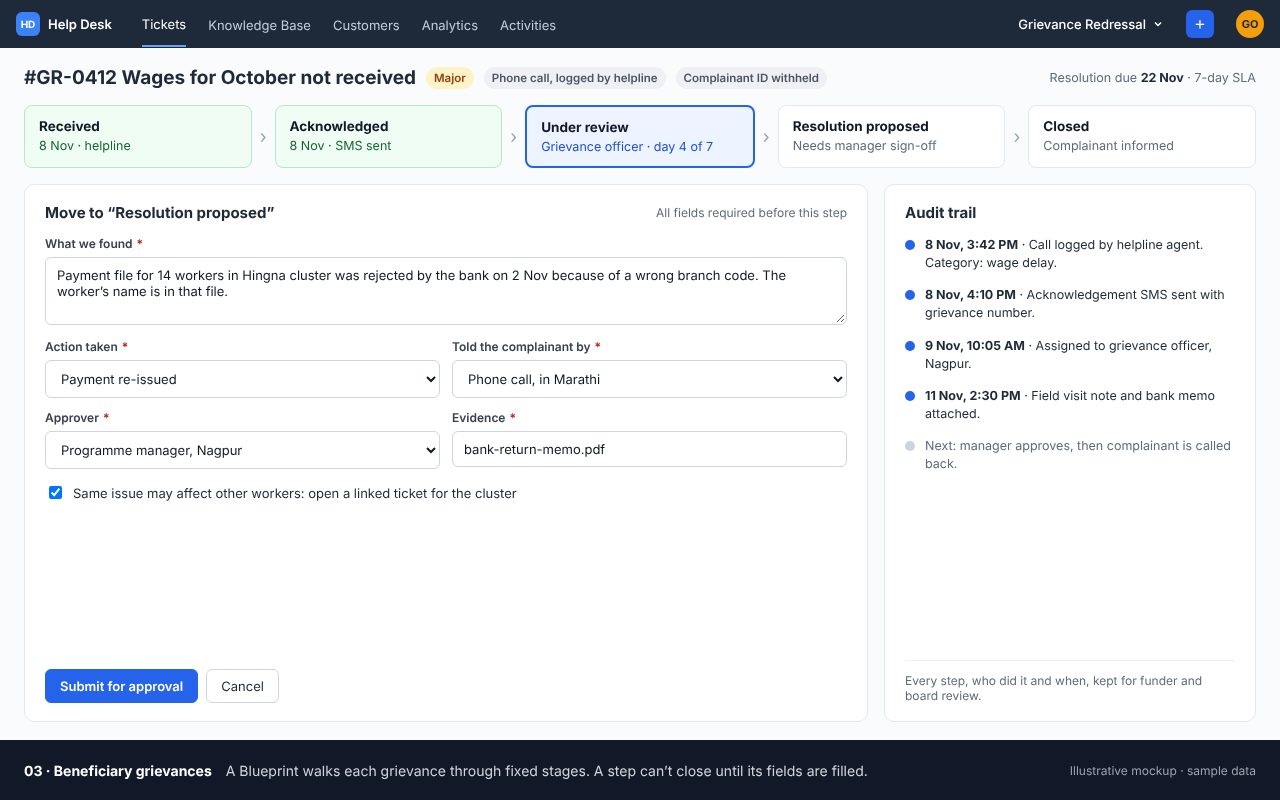
Blueprint. Fixed stages, required fields before closure and an audit trail.
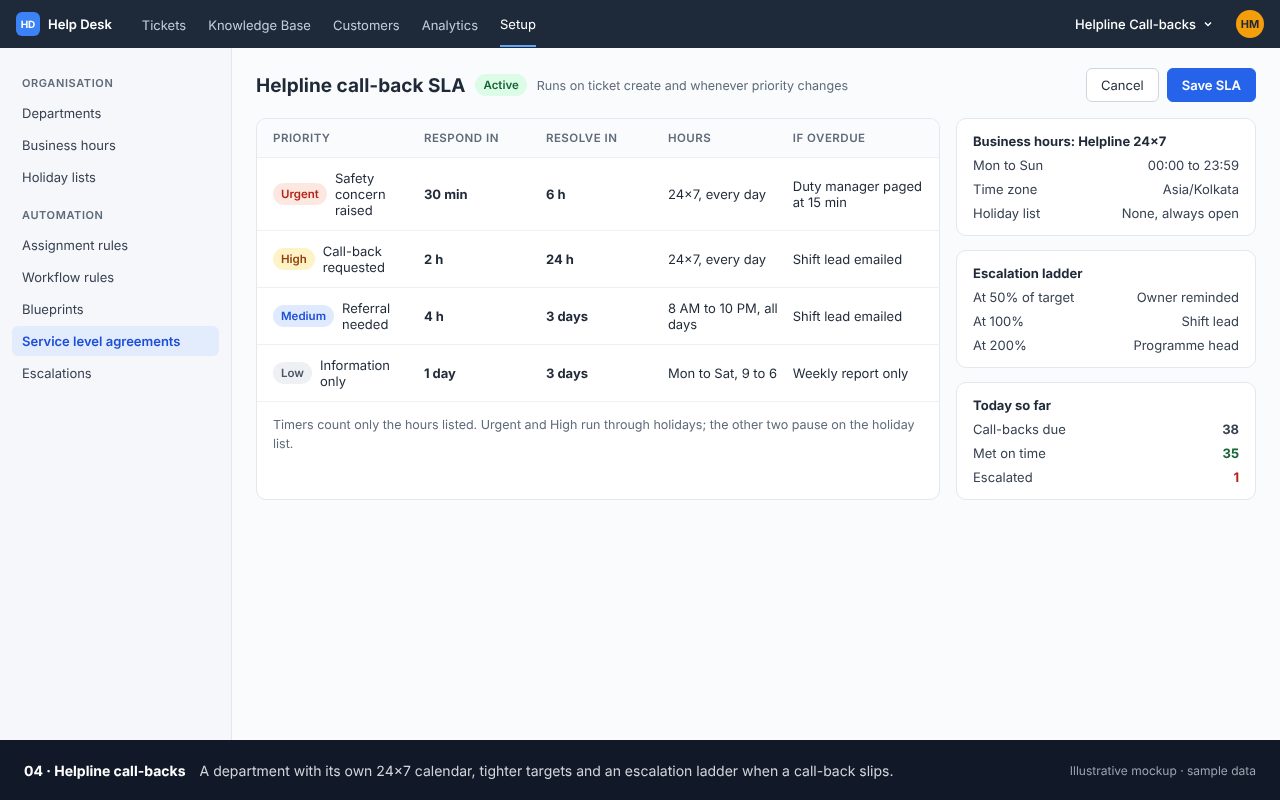
SLA and escalation. A 24x7 calendar and a ladder for call-backs that slip.
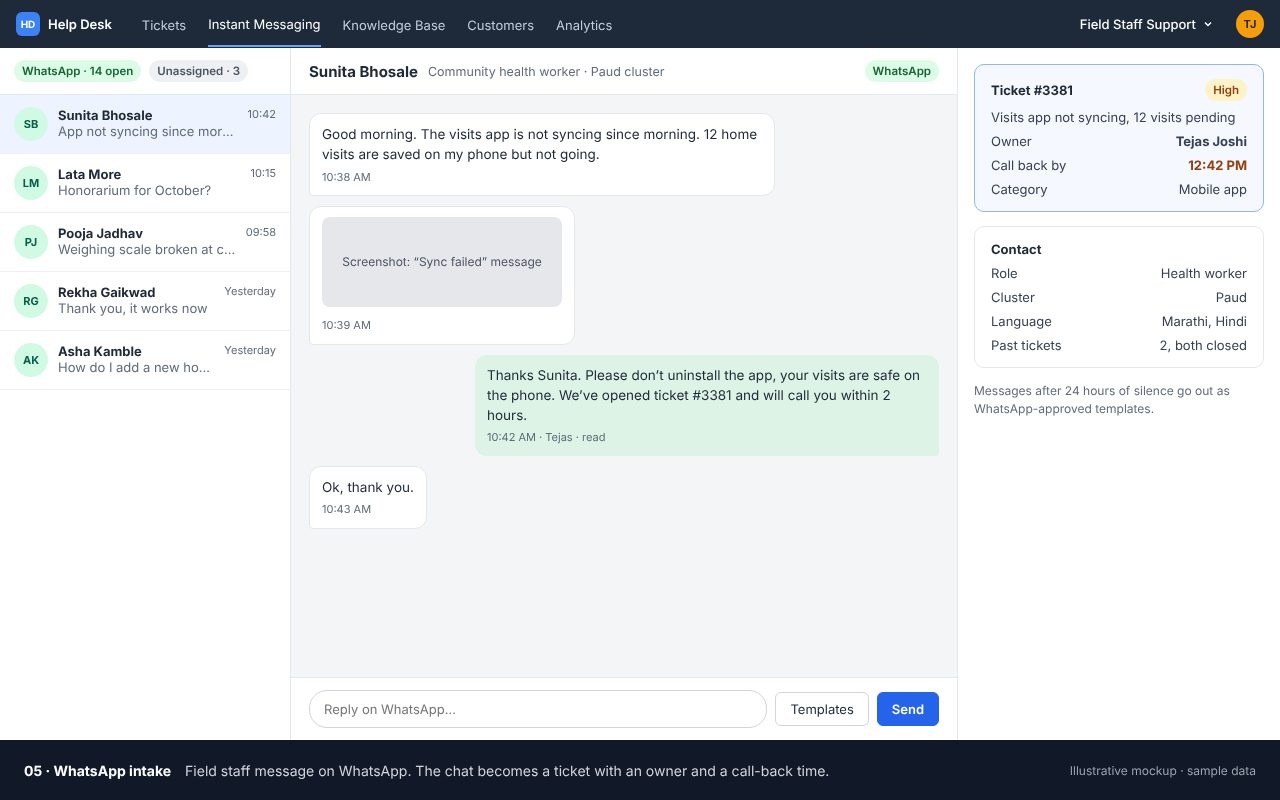
Instant messaging. WhatsApp messages land in the same queue as email.
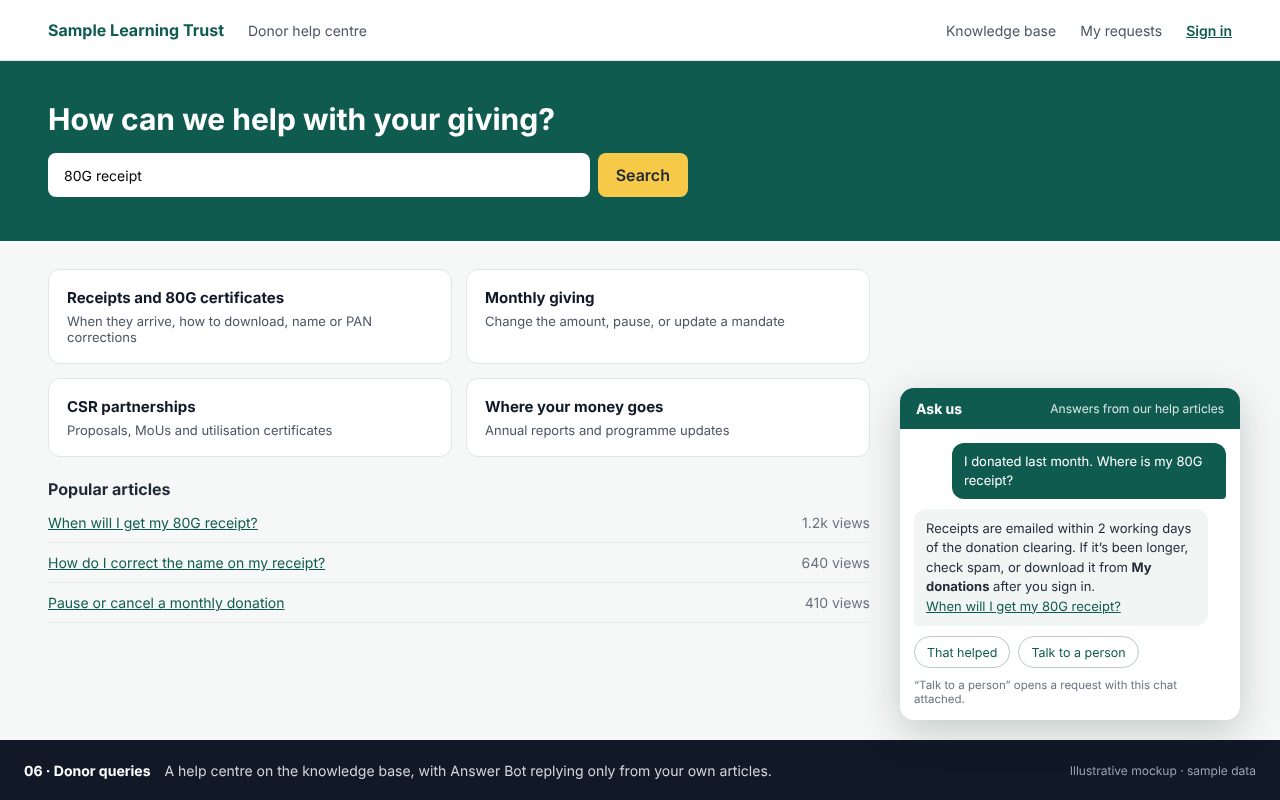
Help centre and Answer Bot. Answers come only from your own articles.
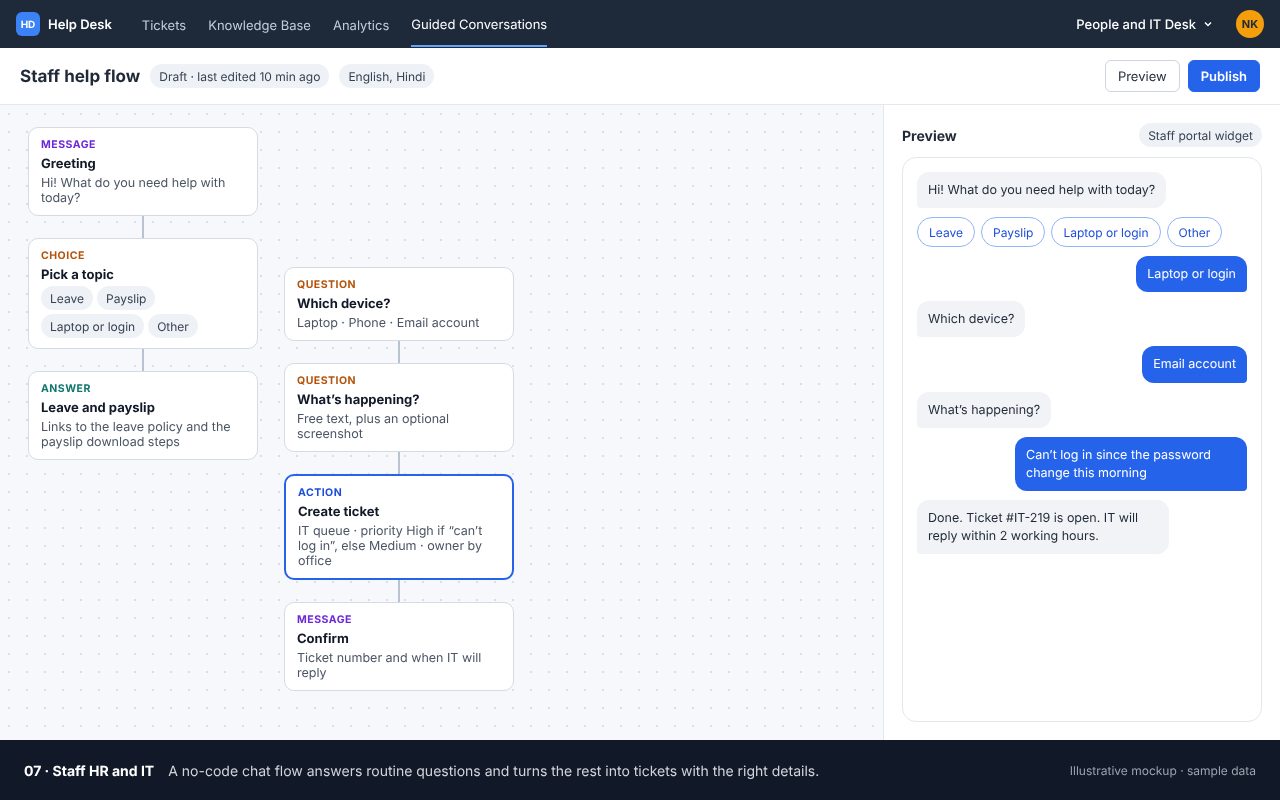
Guided Conversations. A short chat asks the right questions and opens a private ticket.
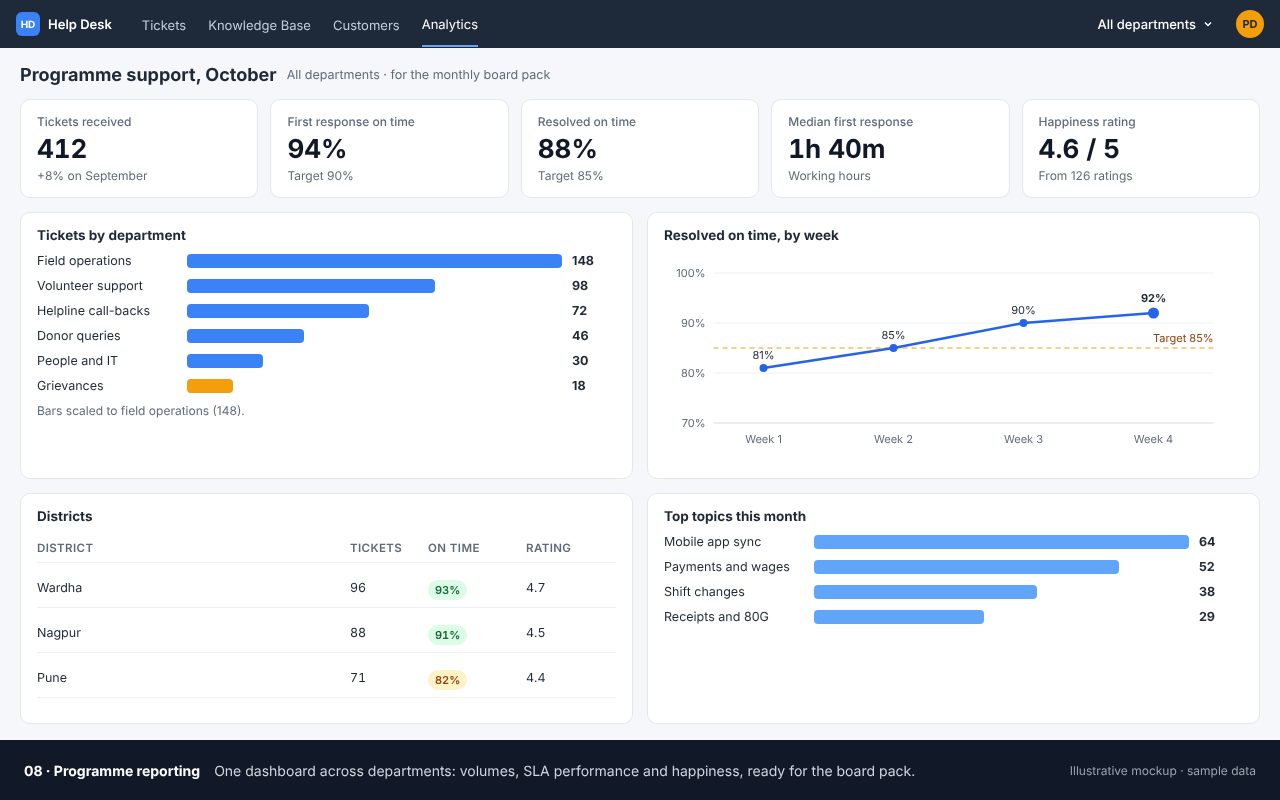
Dashboards. Volume, breaches and ratings your board can read.
Start small. Show us where requests land today.
Illustrative mockups with invented organisations, people and numbers. Not live partner records or product screenshots.
The only manual steps left are the ones that need judgement: confirming the priority, replying and deciding when it’s done.
A crisis line can’t share a Monday-to-Friday calendar with donor queries. These are the six desks we set up most often. The response times are examples to adapt, not rules.
Community members, often by phone or WhatsApp. Acknowledge in 24 hours, resolve in 7 days, with a fixed process and mandatory steps before closure, plus a monthly report for the board.
Questions about shifts, onboarding and certificates. First response in one working day, an acknowledgement with a FAQ link, and tags by programme and city.
App issues, stock-outs, payment delays, leave and laptops. Blocked work in 4 hours, the rest in 2 days, routed by district and kept private by function.
Callers who need a referral or a call back. Urgent cases the same day, every day including holidays, on a 24x7 calendar with an on-call owner.
Receipts, tax certificates and utilisation reports. Receipts in 2 working days, a template for each document and a priority bump for institutional donors.
For any team whose users don’t email. Messages join the same ticket queue; outbound messages need templates approved by WhatsApp first, and people opt in.
The real test of a help desk is the week its owner is on leave. We set it up so the rules, the templates and the knowledge live in the system, not in one head.
One support address per audience, on your own domain, with replies going out from the same address so threads stay together.
Timers that count your working hours, pause on your holiday list and move when someone changes the priority.
Rules that set priority, category and owner from the message, never overriding a person, and fixed stages for grievances.
An acknowledgement that asks for what you need, reply templates, internal articles that appear beside every ticket and, if you want one, a public help centre.
Donors in Zoho CRM, staff in Zoho People, time in Zoho Projects and programme records in Zoho Creator, so a ticket knows who it’s about.
A complaint about wages, safety or a service is not a support ticket like any other. The desk has to keep it private, collect only what it needs and show every step afterwards.
Grievance, safeguarding and HR queues that only named people can open.
Web forms with only the fields you need, and a standing line asking people not to email ID numbers or bank details.
Who did what and when, on every ticket, ready for a funder, a board or a regulator.
India’s DPDP Rules ask organisations to answer grievances within a set period, UK fundraising charities are expected to publish a complaints procedure, and many funders ask for a grievance mechanism. The desk turns those into timers.
We set up the process and the system. Your legal or safeguarding lead decides the policy. For a wider look at personal data across your systems, see ZolaShield.
Once every request is a ticket, the report writes itself: volume by programme, SLAs met and breached, ratings from the people you served and the oldest open grievance. Logged time shows a funder what support actually costs.
See which district or programme is suddenly flooding the desk.
The two numbers a board should see every month.
A one-click rating on every closed ticket, rolled up by desk.
Every help desk follows the same ImpactOS stages and sign-off points, so you always know what is being decided, by whom, and what you will have at the end of it.
We map where requests arrive today and follow a few from first message to answer.
We write the one-page promise with you: who writes in, what is urgent, how fast you’ll respond and which days you’re closed.
The first queue goes live: address, acknowledgement, intake rules and SLA, tested with real requests.
We write the knowledge base and run a walkthrough for whoever covers leave.
A weekly review of breaches and ratings, then the next audience. Once there is enough ticket history, we compare keyword rules with Zia’s predictions.
You don’t need all of this on day one. Read the six-step “start with one queue” checklist →
AI helps sort, summarise and answer from what you have already written. A person still decides what goes out to someone who is waiting.
Zia reads the tone of a ticket, summarises long threads and learns to set category and owner. Answer Bot replies after hours, only from your own articles.
See what Desk can do → DozAI · RunFor desks with hundreds of similar requests a week: drafting replies, chasing missing details and handing unclear cases to a person.
Explore DozAI → Zolabs · ListenA phone call after a ticket closes, in the caller’s language, to check the problem was really solved.
Explore Zolabs →Zoho Desk has a free edition for very small teams, and paid editions are priced per agent per month. Registered nonprofits new to Zoho can apply for Zoho’s nonprofit credits before paying for licences. EdZola’s setup is billed separately, and eligible nonprofits can access subsidised delivery through the Built for Impact Programme.
If yours isn’t here, bring it to the first call. We’d rather answer it honestly than have it surface halfway through a build.
Yes. Requests can come in by WhatsApp, a web form, a chat on your website or a phone call that an agent logs as a ticket. The clock starts either way.
Yes. Each desk is its own department with its own calendar, holiday list and SLA, all in one Zoho Desk account.
Grievances sit in a restricted department that only named people can open, intake forms collect only what is needed, and every action is recorded in an audit trail.
People can write in any language, and templates and help articles can be written in yours. Answer Bot and the help centre support many languages; we check yours during scoping.
No. Zoho Desk works on its own. If you already use Zoho One, Desk is included and links to CRM, People and Projects more easily.
Our own partner desk took two days to set up, because the promise was already written in a contract. For a nonprofit, the first queue usually follows the one-page SLA we write together in Scope.
Only if you choose it, and only from your own articles, through Answer Bot on a help centre or website. Agent replies are written or approved by a person.
Read the build behind this page before you decide what your first queue should be.
The SLAs, intake rules, emails, knowledge base and seven things that broke in week one.
Read the post →Zoho for nonprofitsWhat Zoho offers registered nonprofits, and how to apply before you pay for licences.
Read the guide →Solution guideWhen a helpline needs full case management rather than a help desk.
Read the guide →Tickets become more useful when they know the donor, the staff member or the programme they concern.
Bring the inbox, WhatsApp group or phone log where requests land today. We will show you which audience to start with, what the promise should be and what a first desk would take.